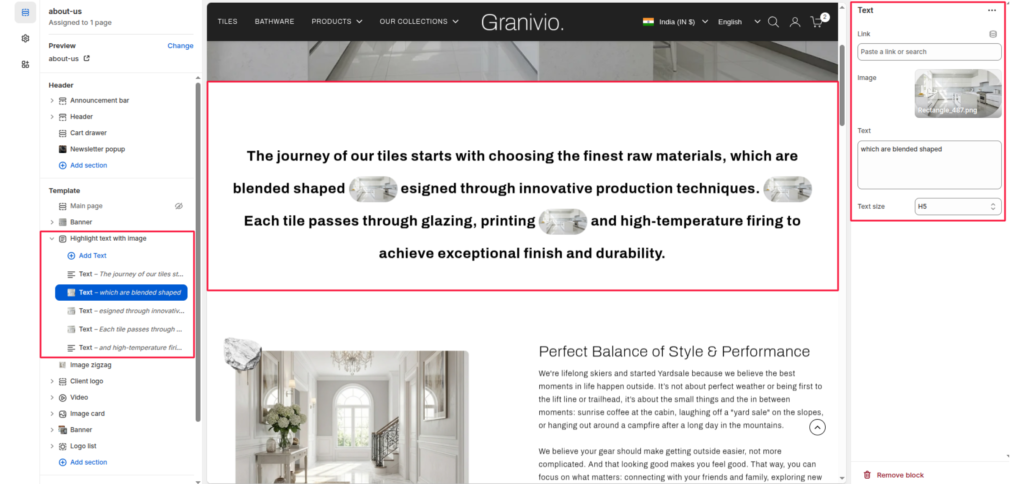
The Highlight text with image section is ideal for “About Us” pages or brand journey narratives. It allows you to create a fluid paragraph of text where specific keywords or phrases are emphasized by small, circular supporting images.
Section Settings #
Color scheme #
Select your preferred color palette for the background and text.
Section Width #
- Full: Stretches the section to the edges of the browser window.
- Page: Constrains the content to the theme’s maximum site width.
Top padding / Bottom padding #
Adjust vertical spacing above and below the section for consistent layout spacing.
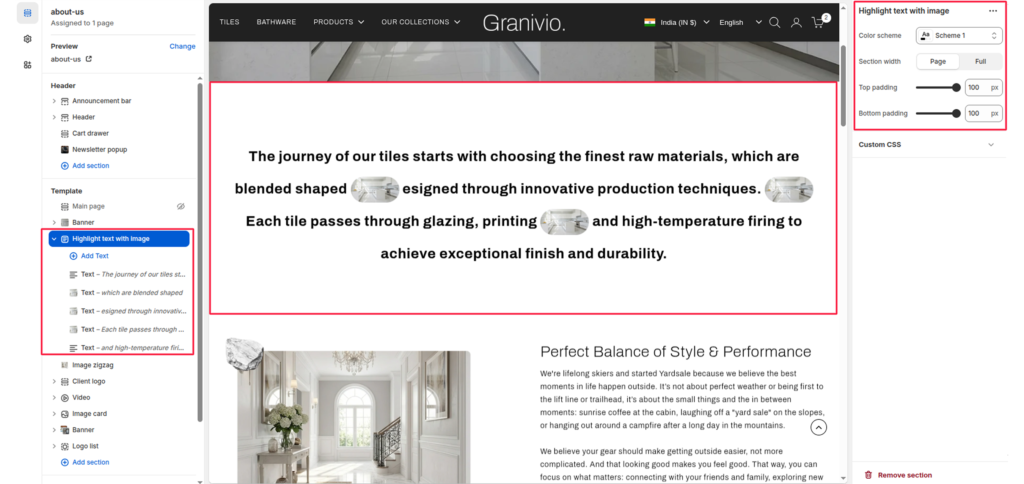
Blocks (Text) #
Each “Text” block represents a segment of the overall paragraph. To build a full story, you add multiple blocks that will flow together as one continuous paragraph.
Text #
Enter the specific phrase or sentence for this segment of the story.
Image #
Upload a small image that will appear at the end of this specific text segment.
- Note: These images are automatically styled as small, rounded thumbnails to sit inline with the text.
Link #
Attach a URL to this specific segment of text to make it clickable.
Text size #
Adjust the scale of the text (e.g., H5) to ensure it stands out or remains subtle.