Table of Contents
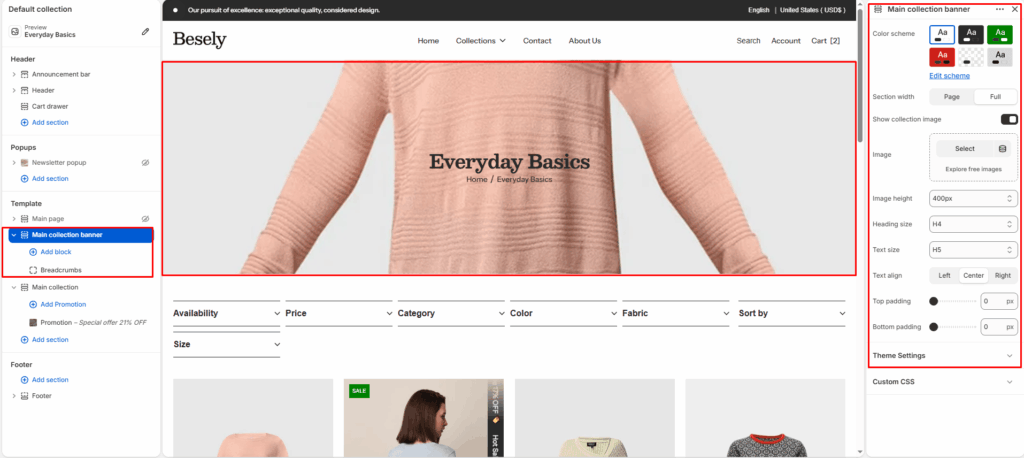
Displays the banner area at the top of a collection page, including the collection image, title, and description.
Section settings #
- Color scheme: Choose which color scheme (defined in Theme settings → Colors) this element uses.
- Section width: Choose from: “Page”, “Full”.
- Show collection image: Displays collection image when this is switched on.
- Image: Upload or select an image to display.
- Image height: Choose from: “Adapt to image”, “300px”, “400px”, “500px”, “600px”.
- Heading size: Choose from: “H1”, “H2”, “H3”, “H4”, “H5”, “H6”.
- Text size: Choose from: “H1”, “H2”, “H3”, “H4”, “H5”, “H6”.
- Text align: Choose from: “Left”, “Center”, “Right”.
- Top padding: Fine-tune this value with the slider (from 0 to 100px).
- Bottom padding: Fine-tune this value with the slider (from 0 to 100px).
@theme block #