Table of Contents
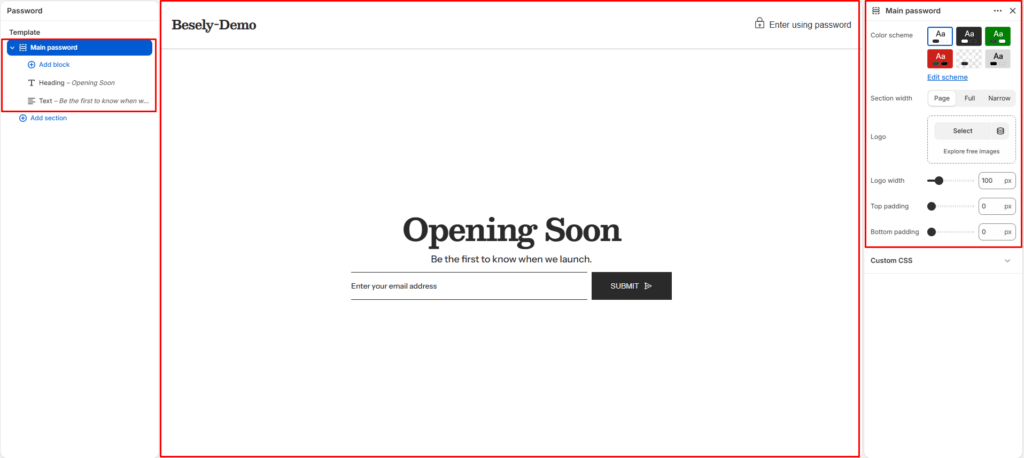
Controls the password page shown when your store is not yet publicly available.
Section settings #
- Color scheme: Choose which color scheme (defined in Theme settings → Colors) this element uses.
- Section width: Choose from: “Page”, “Full”, “Narrow”.
- Logo: Upload or select an image to display.
- Logo width: Fine-tune this value with the slider (from 50 to 300px).
- Top padding: Fine-tune this value with the slider (from 0 to 100px).
- Bottom padding: Fine-tune this value with the slider (from 0 to 100px).
@theme block #