Table of Contents
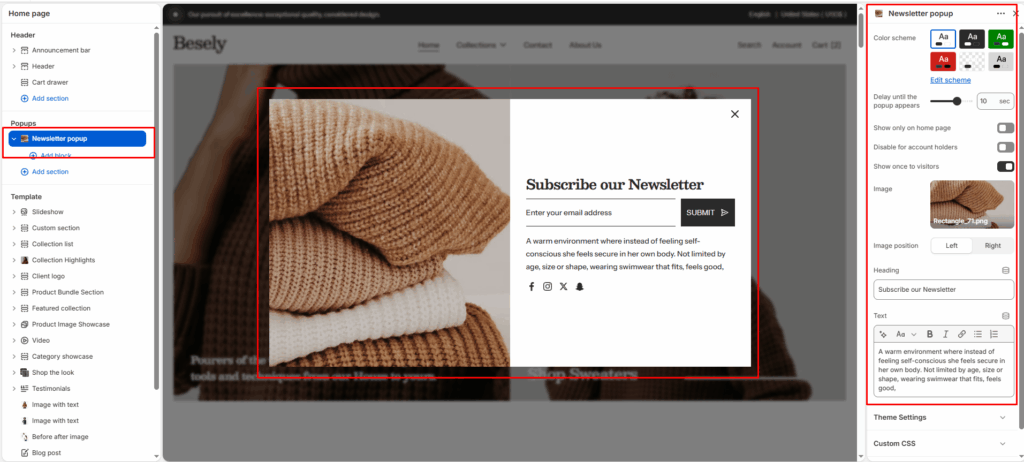
A pop-up modal that prompts visitors to subscribe to your newsletter, with configurable delay and display frequency.
Section settings #
- Color scheme: Choose which color scheme (defined in Theme settings → Colors) this element uses.
- Delay until the popup appears: Fine-tune this value with the slider (from 0 to 15sec).
- Show only on home page: Displays only on home page when this is switched on.
- Disable for account holders: Switch this on to turn off for account holders.
- Show once to visitors: Displays once to visitors when this is switched on.
- Image: Upload or select an image to display.
- Image position: Choose from: “Left”, “Right”.
- Heading: Enter the text you want to display.
- Text: Add formatted text — supports bold, italic, links, and lists.
@theme block #