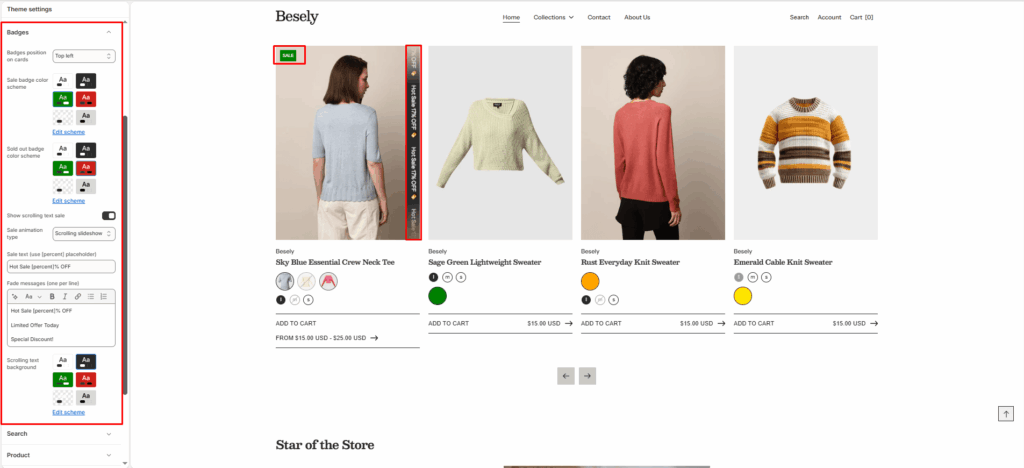
Configure the “Sale” and “Sold out” badges shown on product cards and images.
- Badges position on cards: Choose from: “Bottom left”, “Bottom right”, “Top left”, “Top right”.
- Sale badge color scheme: Choose which color scheme (defined in Theme settings → Colors) this element uses.
- Sold out badge color scheme: Choose which color scheme (defined in Theme settings → Colors) this element uses.
- Show scrolling text sale: Displays scrolling text sale when this is switched on.
- Sale animation type: Choose from: “Scrolling slideshow”, “Fade in messages”.
- Sale text (use [percent] placeholder): Enter the text you want to display.
- Fade messages (one per line): Add formatted text — supports bold, italic, links, and lists.
- Scrolling text background: Choose which color scheme (defined in Theme settings → Colors) this element uses.