Table of Contents
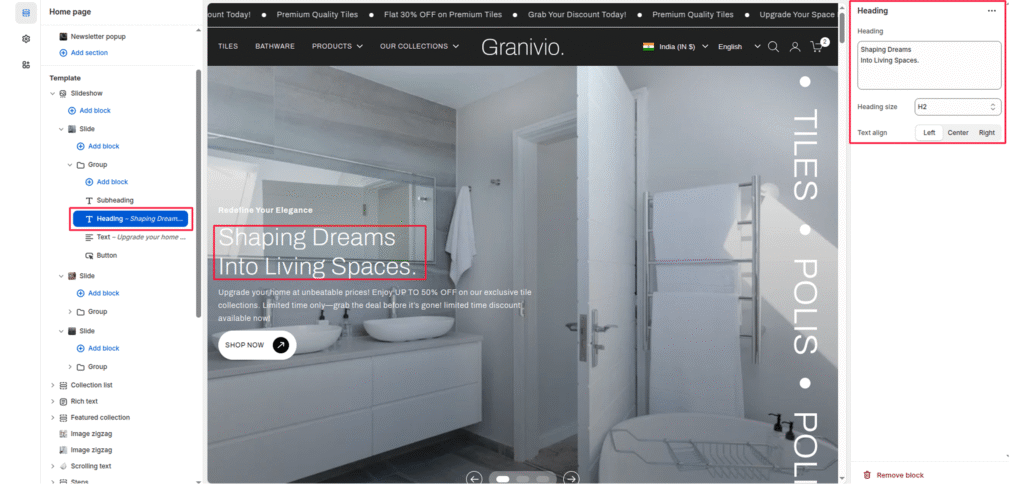
The heading block allows you to add a prominent heading or main message to your slide. It’s typically used to highlight campaign names, product launches, or brand taglines displayed over the slideshow image.
Block Settings #
Heading #
The main text is displayed as the slide’s title. This should be short, impactful, and visually clear.
Heading size #
Controls the visual size of the title text. Options:
- H1—Largest heading, ideal for main hero banners.
- H2—Medium-large heading for secondary slides.
- H3—Medium heading (default in most themes).
- H4 – H6 — Smaller headings suitable for subtle text.
Text align #
Aligns the heading horizontally within the content area:
- Left-align text to the left.
- Center—center the title (default).
- Right—align text to the right.