Table of Contents
Rating #
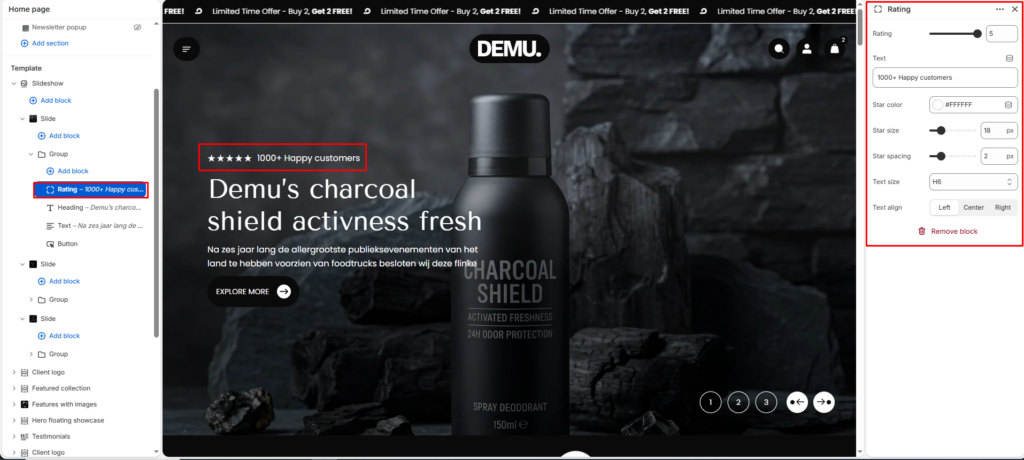
Display customer ratings with star icons and supporting text to build trust and highlight social proof.
Rating #
Select the number of stars to display.
- Typically ranges from 1 to 5
- Used to visually represent customer satisfaction
Text #
Enter supporting text displayed next to the rating.
- Example: “1000+ Happy customers”
Star color #
Choose the color of the star icons.
- Match with your brand or background for better visibility
Star size #
Adjust the size of the star icons.
Star spacing #
Control the space between each star.
Text size #
Select the size of the rating text.
Text alignment #
Choose the alignment of the block (Left, Center, Right).
Best Practice Tips #
- Use 5-star ratings for strong trust signals
- Keep text short and impactful
- Ensure star color has good contrast with the background
- Place near headings or CTAs for better visibility