Table of Contents
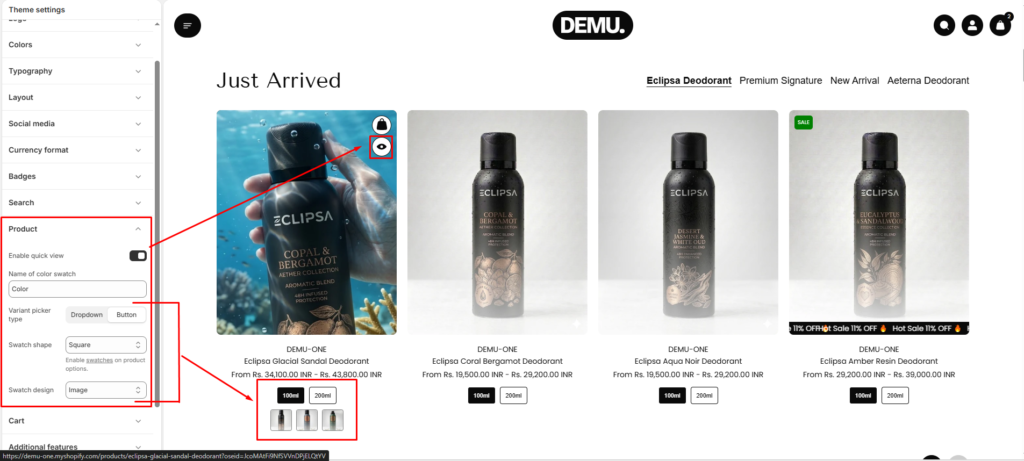
Product #
Enable Quick View
- Enable this option to allow customers to preview product details without leaving the collection page.
- Helps users view product information and add items to cart faster
- Displays a quick view modal on product cards
Name of Color Swatch #
Define the product option name used for color swatches.
- The system will match this name with product variant options
- Common values include:
Color,Colour,Material, etc.
Note: Ensure the option name exactly matches the variant option in your product settings.
Variant Picker Type #
Choose how product variants are displayed on product cards and product pages.
- Dropdown – Displays variants in a select dropdown
- Button – Displays variants as clickable buttons
Swatch Shape #
Select the shape of the swatches displayed for variant options.
- Square
- Circle
- Default
Swatch Design #
Choose how swatches are visually represented.
Default – Displays text-based swatches
Color – Displays solid color swatches
Image – Displays swatches using images (useful for patterns or textures)