Table of Contents
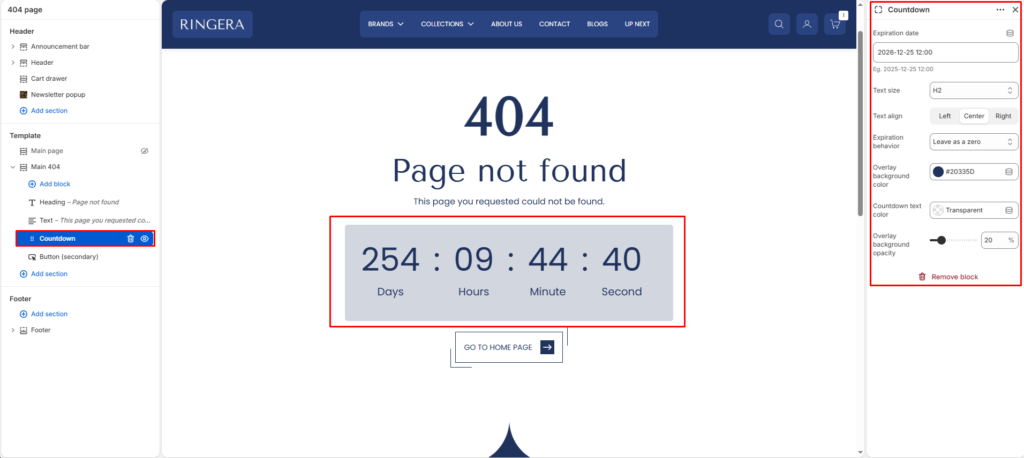
The Countdown Timer block displays a live, ticking clock counting down to a specific date and time. It is highly effective for limited-time offers, flash sales, and product launches.
Settings #
Expiration date #
Enter the target date and time in the exact format: YYYY-MM-DD HH:MM (e.g., 2026-12-25 12:00).
Expiration behavior #
Determine what happens when the timer reaches zero:
- Hide: The entire countdown timer disappears from the website.
- Leave: The timer stays on the screen but remains stuck at
00:00:00:00.
Text size #
Choose the scale of the countdown numerals (from H1 to H6).
Text align #
Align the heading text to the Left, Center, or Right.
Background color #
Choose a solid color for the timer’s container.
Overlay opacity #
Adjust the transparency of the background color (0% to 100%).
Countdown text color #
Set the color for the ticking numbers and labels (Days, Hours, Minutes, Seconds).