

Back in Stock Banner
On this page
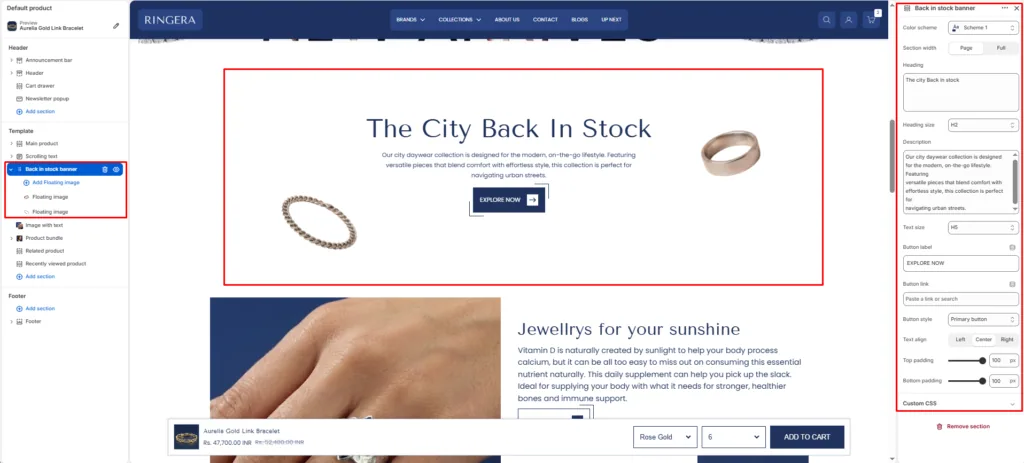
The Back in Stock Banner section is designed to highlight restocked or featured products with a strong visual presentation. It allows you to combine text content, call-to-action, and decorative floating images to attract customer attention.
Color scheme
Choose the desired color palette for this section from the available theme schemes.
Section width
Choose how wide the section spans on the page:
- Page: Aligns section content with the page container.
- Full: Stretches the section edge-to-edge across the browser window.
Heading
Enter a heading to highlight the banner content.
Heading size
Select the size of the heading text H1 To H6.
Description
Add a short description to support the heading.
Text size
Choose the size of the description text H1 To H6.
Button label
Enter text for the call-to-action button.
Button link
Select or paste a link for the button.
Button icon enable
Enable button icon.
Button style
Choose a style for the button appearance.
- Primary Button
- Secondary Button
Text alignment
Select the alignment of the content.
- Left
- Center
- Right
Top padding
Adjust the space above the section.
Bottom padding
Adjust the space below the section.
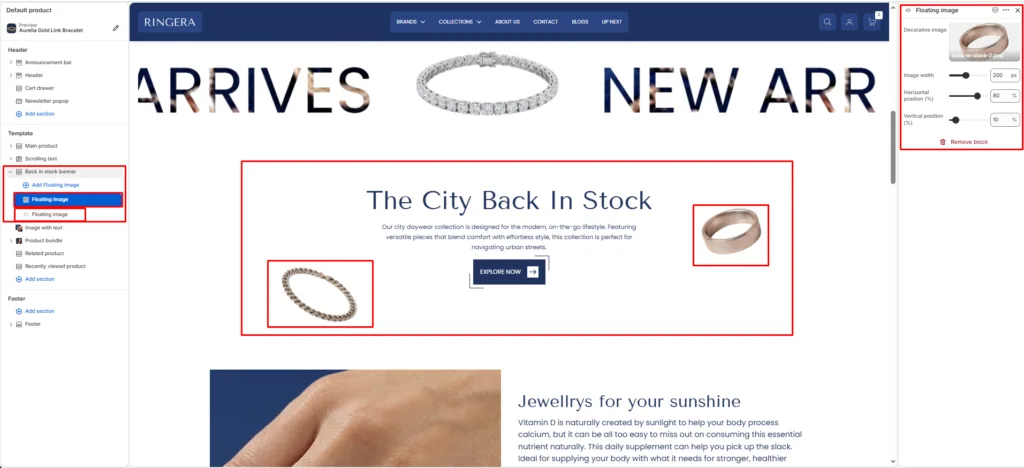
Floating Image Block
Decorative image
Upload an image to display as a floating decorative element.
Image width
Adjust the width of the image.
Horizontal position (%)
Set the horizontal position of the image.
Vertical position (%)
Set the vertical position of the image.
Was this article helpful?
Thanks for the feedback.
Still need help?
Can't find what you're looking for? Send us a message and we'll help you out.