Client Logo #
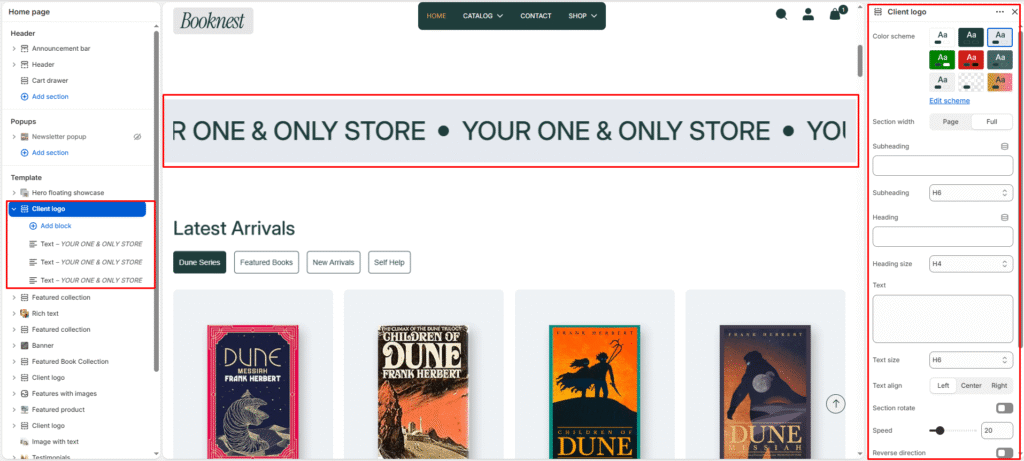
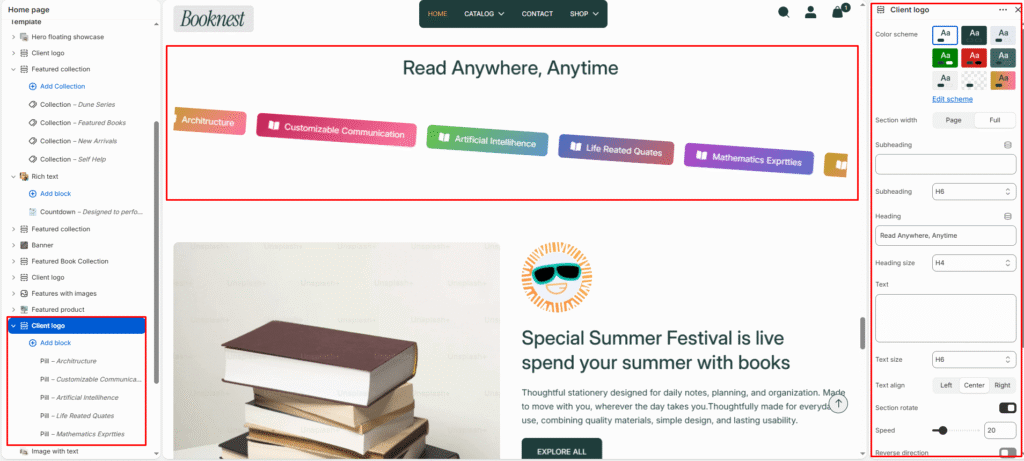
The Client Logo section displays a continuous scrolling marquee of brand elements — perfect for showcasing publisher logos, media mentions, promotional text, or book category tags. It builds instant credibility and adds dynamic movement to your homepage or landing pages.
This section supports 3 block designs. You can use one design per section, or mix blocks together in the same marquee.
Section settings #
Color scheme #
Select a predefined color palette so the marquee blends seamlessly with your store’s theme.
Section width #
Choose Page width or Full width to control how wide the section spans across the screen.
Subheading #
Optional small label above the main heading.
Subheading size #
Choose the visual size for the subheading (H1–H6 style).
Heading #
Add a main title for the section.
Heading size #
Select how large the heading appears (H1–H6 style).
Text #
Optional description below the heading.
Text size #
Control the visual size of the description text.
Text alignment #
Align the header content to Left, Center, or Right.
Section rotate #
Tilt the entire marquee on a slight angle for a more dynamic, editorial look. Best used with Pill blocks for category/genre showcases.
Speed #
Control how fast the marquee scrolls (5–100). Lower values scroll faster; higher values scroll slower.
Reverse direction #
Flip the scroll direction so items move right-to-left instead of left-to-right.
Logo max height #
Set the maximum display height for logo images (20px–120px). Applies to Logo block images only.
Top padding / Bottom padding #
Adjust vertical spacing above and below the section (0–100px).
Design 1 — Text (Scrolling text marquee) #
A bold, text-only marquee ideal for repeating promotional messages or brand statements.
Text #
Enter the scrolling text (e.g., YOUR ONE & ONLY STORE, Free shipping on all orders).
Text size #
Choose the visual size for this text item (H1–H6 style).
Design 2 — Logo (Image logo marquee) #
A classic logo strip for publisher, media, or partner brand logos.
Image #
Upload a logo image (PNG with transparent background recommended).
Link #
Optional URL — link each logo to the partner’s website, a collection, or a campaign page.
Design 3 — Pill (Gradient category tags) #
Colourful gradient pill badges with optional icons — great for showcasing book genres or reading categories.
Text #
Label text inside the pill.
Link #
Optional URL — link each pill to a collection or filtered page.
Icon image #
Upload a small icon displayed inside the pill (e.g., a book or category icon).
Gradient start #
Starting colour of the pill background gradient.
Gradient end #
Ending colour of the pill background gradient.
Text color #
Colour of the text inside the pill.