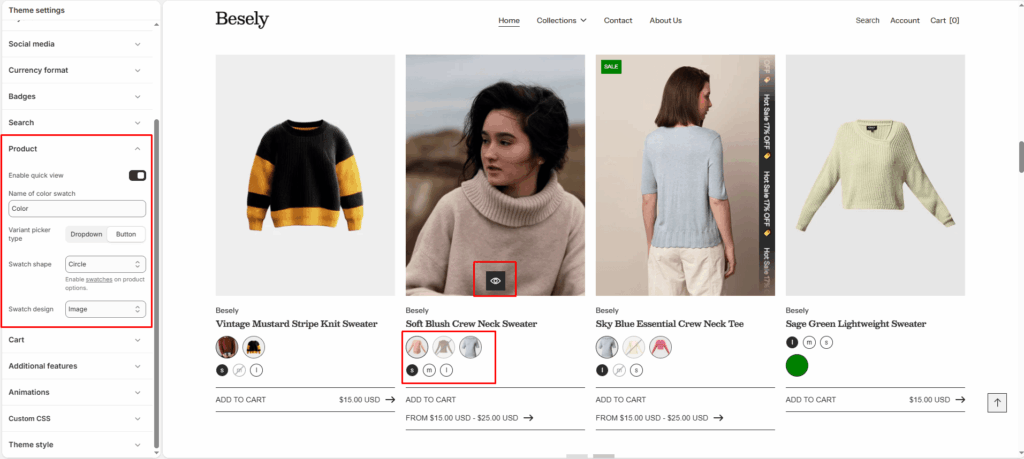
Store-wide defaults for how products are displayed, including price, variants, and inventory messaging.
- Enable quick view: Switch this on to activate quick view.
- Name of color swatch: Enter the text you want to display.
- Variant picker type: Choose from: “Dropdown”, “Button”.
- Swatch shape: Enable [swatches](https://help.shopify.com/en/manual/online-store/themes/theme-structure/theme-settings#options-with-swatches) on product options.
- Swatch design: Choose from: “Default”, “Color”, “Image”.