

Article
On this page
The Article section controls the layout, reading experience, and merchandising elements of individual blog posts on your store (such as Scent Layering Guides, Fragrance Care Tips, Ingredient Spotlights, or Perfume House Stories).
Attar elevates your editorial content by combining magazine-style header layouts with a conversion-focused sidebar that lets you recommend the exact perfumes and oils discussed in the article directly to your readers.
How to Access Article Settings
- From your Shopify Admin, navigate to Online Store > Themes.
- Click Customize on the Attar theme.
- In the top template dropdown, select Blogs > Default article.
- In the left sidebar, click the Article section.
- Configure your header style, metadata toggles, and sidebar options.
- Click Save.
Header Layout & Appearance Settings
| Setting Name | Type | Options / Range | Default | Description |
|---|---|---|---|---|
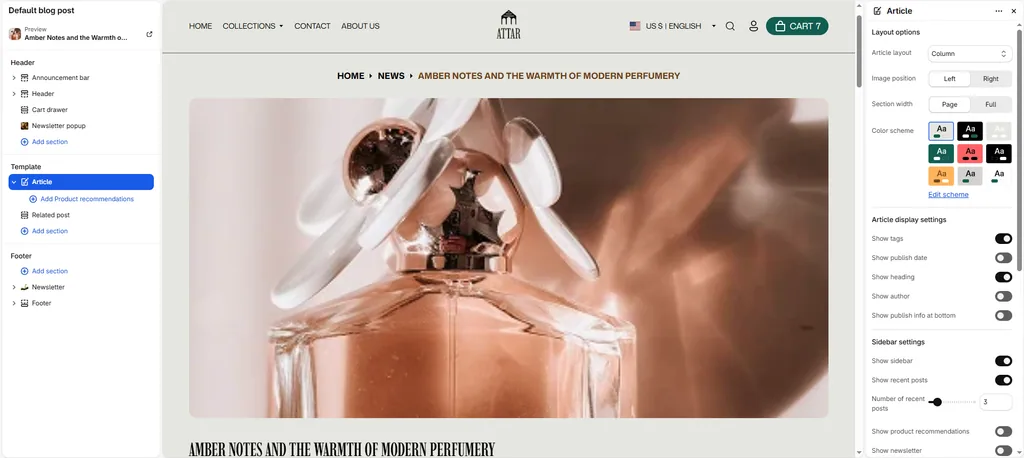
| Layout | Dropdown | Row, Column, Overlay | Column | Determines how the featured image and article headline are positioned at the top of the post. |
| Image position | Dropdown | Left, Right | Left | Anchors the featured image to the left or right side (active when Layout is set to Row). |
| Section width | Dropdown | Page width, Full width | Page width | Chooses between a standard boxed reading container or an edge-to-edge layout. |
| Color scheme | Color Scheme Picker | Any configured color scheme | Scheme 1 | Sets the background and typography color palette for the reading experience. |
| Top padding | Slider / Range | 0px – 200px (Step: 5px) | 40px | Top vertical whitespace above the article content. |
| Bottom padding | Slider / Range | 0px – 200px (Step: 5px) | 40px | Bottom vertical whitespace below the article content. |
Header Layout Styles Explained
- Column (Default): Clean, centered editorial layout. Neatly stacks the article headline, metadata byline, and featured fragrance photograph vertically.
- Row: Side-by-side format where the featured perfume image sits directly alongside the article headline and intro text.
- Overlay: Turns the featured photograph into a full-width hero banner with the article title overlaid directly on top.
Article Metadata Toggles
| Setting Name | Type | Default | Description |
|---|---|---|---|
| Show title | Checkbox | Enabled | Displays the article headline. |
| Show tag | Checkbox | Disabled | Displays the primary category tag (e.g., Scent Guide, Oud & Amber, Perfumery). |
| Show date | Checkbox | Disabled | Displays the publication date. |
| Show author | Checkbox | Disabled | Displays the author or editor byline. |
| Show publish info | Checkbox | Disabled | Displays a publication credit summary badge at the bottom of the article. |
The Conversion Sidebar
Attar includes a sticky reading sidebar designed to capture newsletter subscribers and drive perfume sales directly from your articles:
| Setting Name | Type | Default | Description |
|---|---|---|---|
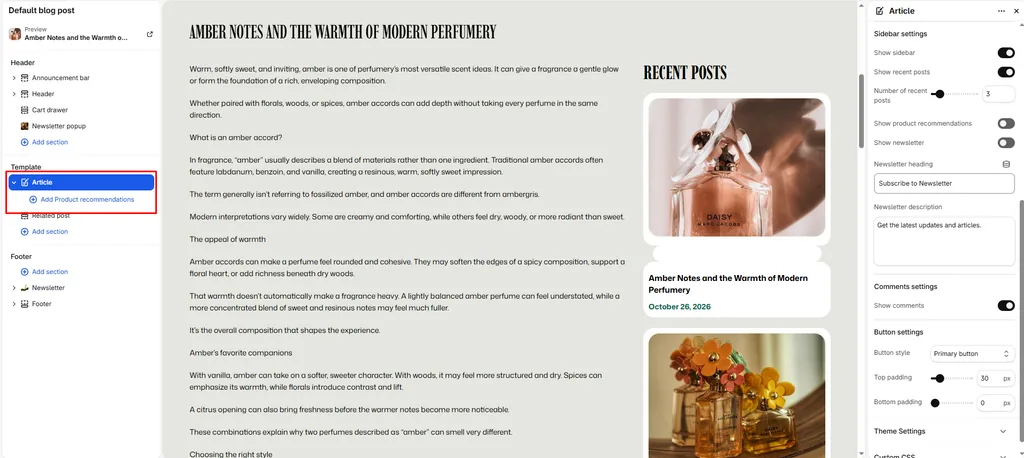
| Show sidebar | Checkbox | Disabled | Master switch to turn the article sidebar on or off. |
| Show recent posts | Checkbox | Disabled | Displays a list of latest articles to keep shoppers reading. |
| Recent posts count | Slider / Range (2 – 10) | 5 | Number of recent articles shown in the sidebar list. |
| Show products | Checkbox | Disabled | Enables the featured product upsell module inside the reading sidebar. |
| Show newsletter | Checkbox | Disabled | Embeds an inline email subscription box inside the sidebar. |
| Newsletter title | Text | Subscribe to Newsletter | Heading for the in-article subscription box. |
| Newsletter description | Textarea | Get the latest updates… | Subtext encouraging readers to subscribe. |
Adding Product Upsells to Articles
When Show products is enabled, you can feature specific perfumes directly inside the sidebar:
- Under the Article section in the left sidebar, click Add block and select Product.
- Select the specific fragrance or attar discussed in the article.
- Readers can now view the perfume’s bottle photo, price, and click directly to its product page without having to search your store!
Navigation & Comments
| Setting Name | Type | Default | Description |
|---|---|---|---|
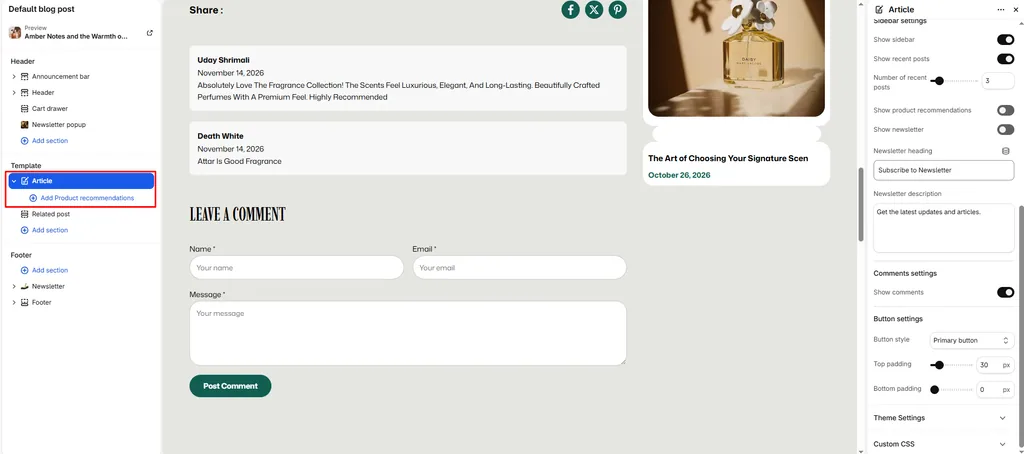
| Show comments | Checkbox | Enabled | Displays customer comments and discussion threads (moderated in Shopify Admin under Online Store > Blog posts). |
| Button style | Dropdown | Button primary, Button secondary, Button link | Button primary |
Pro Tips for Attar Stores
- Feature Discussed Scents: When writing an article (e.g., “The Complete Guide to Royal Oud & Amber”), always add the featured perfumes using the Product block. Readers can immediately explore and purchase the scents they are reading about.
- Breadcrumb Navigation: If Show breadcrumb navigation is enabled in Theme settings, Attar automatically displays a clean
Home > Blog > Articletrail at the top of the post for effortless navigation.
Was this article helpful?
Thanks for the feedback.
Still need help?
Can't find what you're looking for? Send us a message and we'll help you out.