

Column
On this page
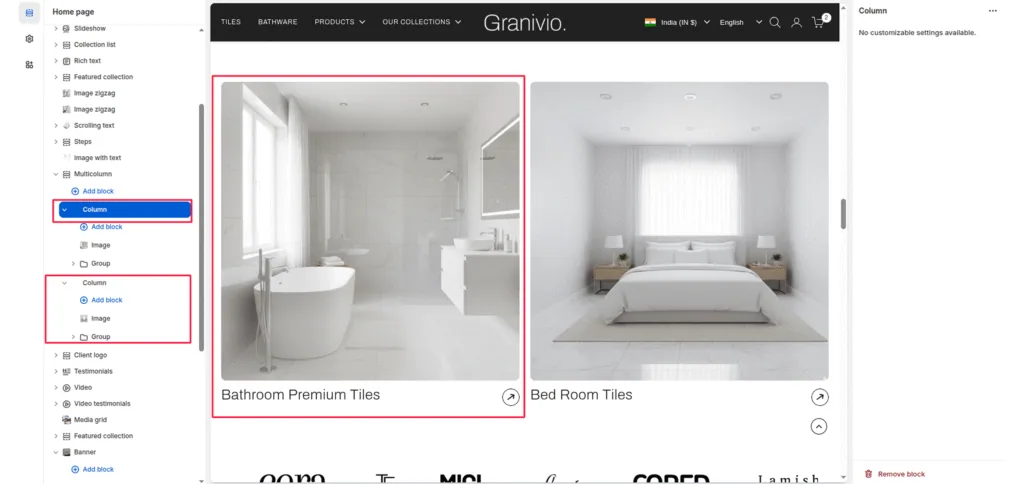
The Column block is used within the Multicolumn section to create individual feature cards that include an image, title, text, and optional background styling. Each column allows you to highlight key brand values, features, or services in a consistent layout.
Block Settings
Image
Upload an image that visually represents the column’s content (e.g., product ingredient, lifestyle photo, or illustration).
Title
Add a short, bold heading to describe the feature (e.g., Pure Ingredients, Sustainable Beauty).
Text
Add a supporting paragraph to elaborate on the feature or value.
Was this article helpful?
Thanks for the feedback.
Still need help?
Can't find what you're looking for? Send us a message and we'll help you out.