

Text
On this page
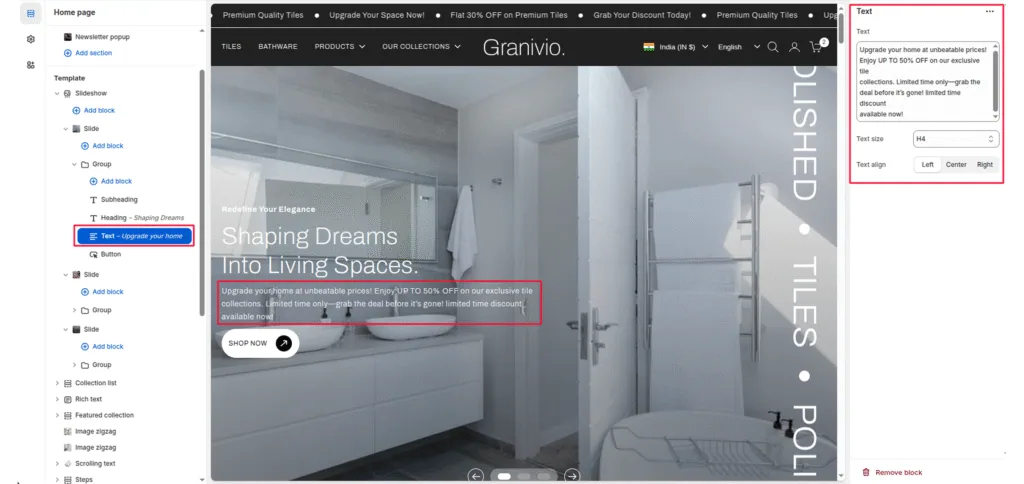
The text block allows you to add a short description or supporting paragraph beneath the slide title. It’s ideal for adding context, product highlights, or marketing messages that complement the main heading.
Block Description
Use this block to display short descriptive text within a slideshow slide. It appears below the title block and is aligned according to the chosen text alignment option.
Block Settings
Text
The main content area for your description. You can enter plain text or a short promotional line.
Text size
Controls the visual size of your description text. Available options typically include:
- H1
- H2
- H3
- H4
- H5
- H6
Text align
Determines the horizontal alignment of your text within the slide. Options:
- Left—Aligns text to the left.
- Center—Centers text (default).
- Right—aligns text to the right.
Was this article helpful?
Thanks for the feedback.
Still need help?
Can't find what you're looking for? Send us a message and we'll help you out.