

Logo
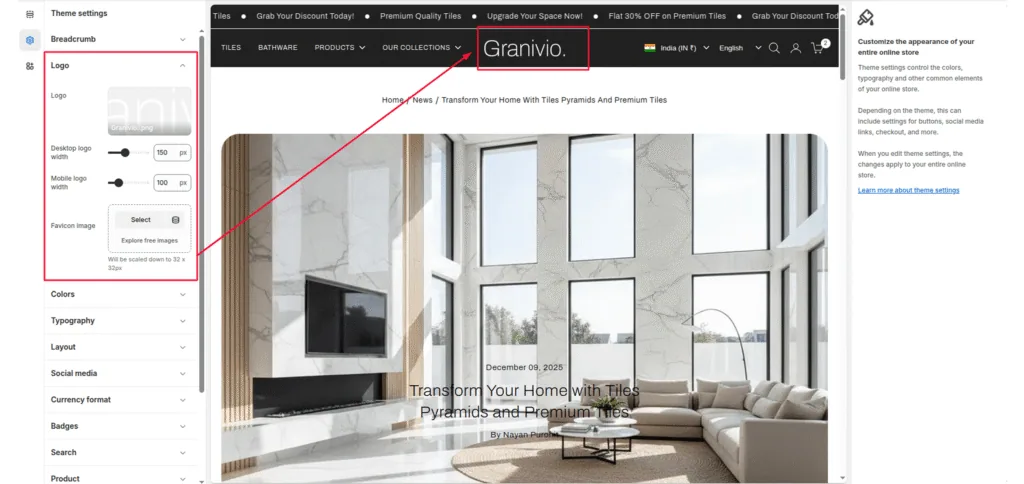
Logo: This guide describes the Theme settings > Logo menu options.
Desktop logo width: Adjust the desktop logo size to set a size for the logo image.
Mobile logo width: Adjust the mobile logo size to set a size for the logo image.
Favicon: This guide describes the Theme settings > Favicon options.
Was this article helpful?
Thanks for the feedback.
Still need help?
Can't find what you're looking for? Send us a message and we'll help you out.