

Heading
On this page
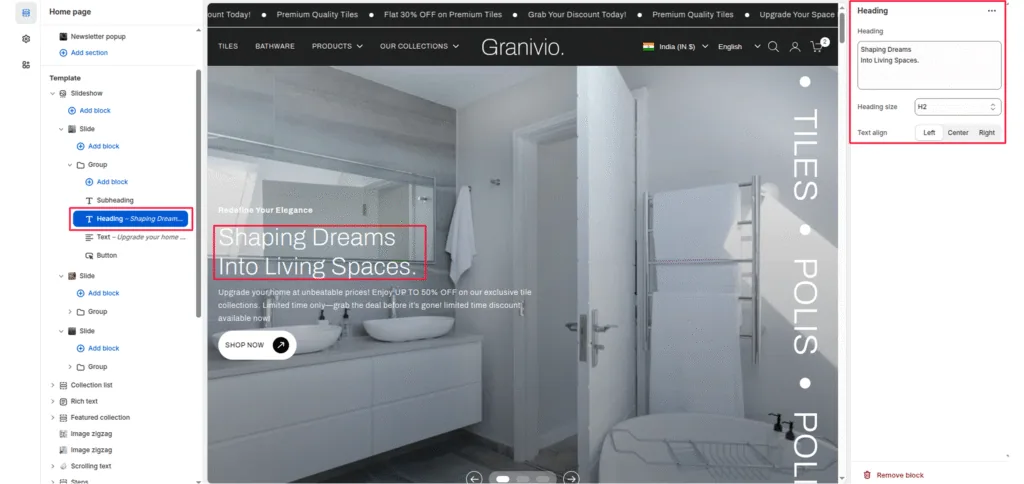
The heading block allows you to add a prominent heading or main message to your slide. It’s typically used to highlight campaign names, product launches, or brand taglines displayed over the slideshow image.
Block Settings
Heading
The main text is displayed as the slide’s title. This should be short, impactful, and visually clear.
Heading size
Controls the visual size of the title text. Options:
- H1—Largest heading, ideal for main hero banners.
- H2—Medium-large heading for secondary slides.
- H3—Medium heading (default in most themes).
- H4 – H6 — Smaller headings suitable for subtle text.
Text align
Aligns the heading horizontally within the content area:
- Left-align text to the left.
- Center—center the title (default).
- Right—align text to the right.
Was this article helpful?
Thanks for the feedback.
Still need help?
Can't find what you're looking for? Send us a message and we'll help you out.