Table of Contents
The Main Product section powers your single product detail pages (e.g., when a customer clicks a specific sneaker silhouette to inspect colorways, select shoe sizes, and buy).
Designed specifically for modern footwear e-commerce, Sneax gives you 6 gallery layouts to showcase multi-angle shoe photography (soles, uppers, stitching, and on-foot shots), an interactive Shoe Sizing Chart Modal, live Inventory Scarcity Counters, Business-Day Delivery Calculators, and On-Foot Shoppable Video Reels.
How to Access Main Product Settings #
- From your Shopify Admin, navigate to Online Store > Themes.
- Click Customize on the Sneax theme.
- In the top template selector, navigate to Products > Default product.
- In the left sidebar under the Template group, click the Main product section.
- Configure your gallery layout and customize your product blocks.
- Click Save.
Gallery & Layout Settings #
| Setting Name | Type | Options / Range | Default | Description |
|---|---|---|---|---|
| Color scheme | Color Scheme Picker | Any configured color scheme | Scheme 1 | Sets the background and typography color palette for the product page. |
| Section width | Dropdown | Page width, Full width | Page width | Determines whether the product template is contained or edge-to-edge. |
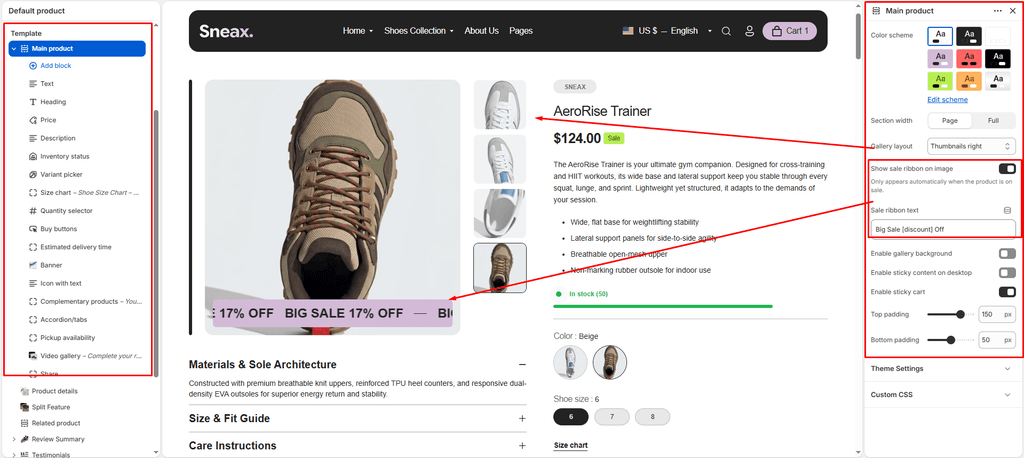
| Gallery layout | Dropdown | Bottom, Left, Right, Grid, Slideshow, Inside | Bottom | Chooses the photographic presentation for your shoe images and 3D models. |
| Enable gallery background | Checkbox | Enabled / Disabled | Enabled (true) | Adds a subtle contrasting container behind transparent PNG footwear images. |
| Enable sticky info | Checkbox | Enabled / Disabled | Enabled (true) | Keeps product details (title, size selector, Buy buttons) pinned on screen as customers scroll through photos. |
| Enable sticky cart | Checkbox | Enabled / Disabled | Enabled (true) | Displays a persistent floating “Add to Cart” bar at the bottom/top of the screen when scrolled past the main button. |
| Show sale ribbon | Checkbox | Enabled / Disabled | Disabled (false) | Displays an animated discount badge across the main shoe photo. |
| Sale ribbon text | Text | Text with [discount] | Big Sale [discount] Off | The [discount] placeholder automatically calculates the exact percent saved. |
| Top padding | Slider / Range | 0px – 200px (Step: 5px) | 0px | Top vertical whitespace. |
| Bottom padding | Slider / Range | 0px – 100px (Step: 5px) | 0px | Bottom vertical whitespace. |
Gallery Layouts Explained #
- Grid (Lookbook / Editorial): Lays out all shoe photos in a spacious 2-column masonry grid. Perfect for high-end sneaker drops where you have 6+ angles (side profile, sole, toe box, heel, packaging, and on-foot lifestyle).
- Bottom / Left / Right Thumbnails: Classic e-commerce product gallery with a large hero image accompanied by mini thumbnails positioned below, to the left, or to the right.
- Slideshow: Clean, single-image swipeable carousel with arrows and touch support.
- Inside: Minimalist high-fashion look with thumbnail pills floating cleanly inside the hero viewport.
Product Information & Conversion Blocks #
Sneax uses modular blocks that can be dragged and dropped in the left sidebar to restructure your page:
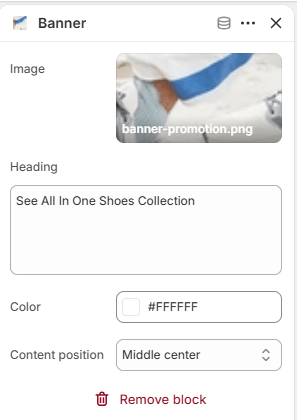
1. Core Product Blocks #
- Title, Price & SKU: Core product identifiers with automatic tax and currency formatting.
- Variant Picker: Renders shoe sizes and colorway swatches based on your Theme Settings (Button or Dropdown).
- Size Chart (
size_chart): Opens a dedicated popup modal. Under settings, select your Size chart page (e.g., US/UK/EU Shoe Sizing Conversion Chart) so shoppers can verify their fit without leaving the page. - Buy Buttons: Includes standard Add to Cart, Dynamic Checkout (Apple Pay, Google Pay, Shop Pay), and optional Gift card recipient forms.
- Pickup Availability: Real-time local store inventory for brands with physical sneaker stores.
2. Urgency & Trust Blocks #
- Inventory Bar (
inventory): Sets an Inventory threshold (e.g.,10). When stock for a selected shoe size drops below this number, it displays an urgent warning: “Only 3 left in stock – order soon!”. - Countdown Timer (
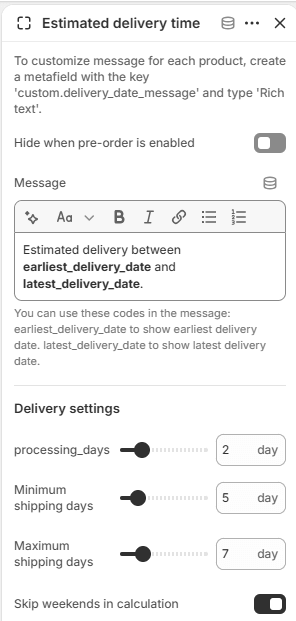
countdown): Embeds a live countdown clock for flash drops. Set an Expiration date (YYYY-MM-DD HH:MM) and choose whether to Hide or Leave the block when finished. - Estimated Delivery (
estimated_delivery):- Processing days: Handling time before dispatch (e.g.,
2 days). - Shipping days min & max: Transit duration (e.g.,
5 to 7 days). - Skip weekends: Automatically excludes Saturdays and Sundays to output realistic delivery estimates (e.g., “Order today, delivered by Thursday, Nov 5”).
- Processing days: Handling time before dispatch (e.g.,

- Icon with Text (
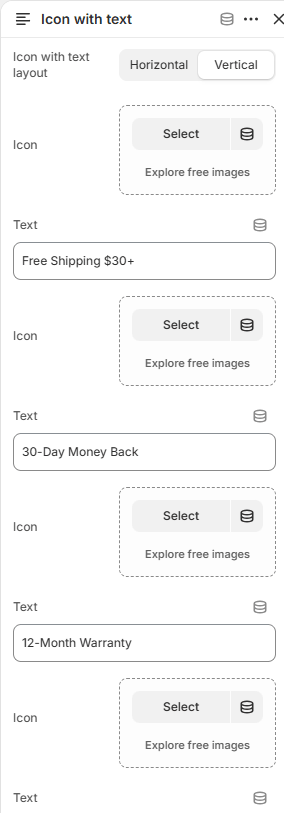
icon_with_text): Displays up to 4 trust badges (Authenticity Guaranteed, 30-Day Returns, Free Shipping, Waterproof Material) in horizontal or vertical alignment.

3. Content Tabs, Videos & Up-Sells #
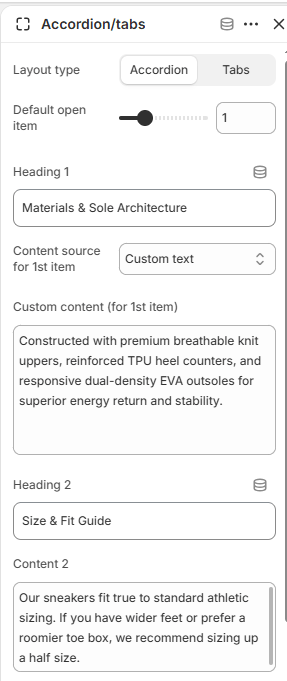
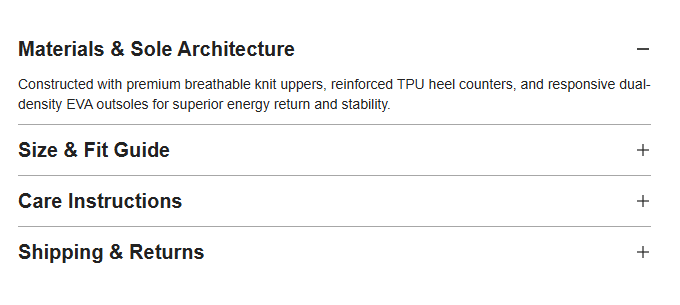
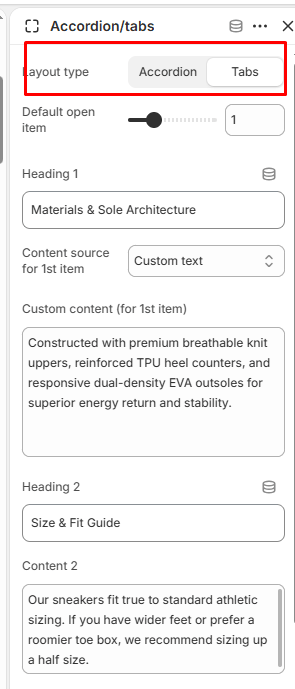
- Product Tabs / Accordion (
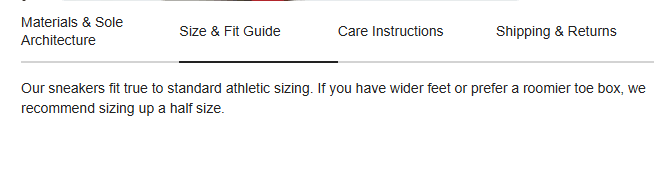
product_tabs): Toggle between Accordion or horizontal Tabs with up to 4 customizable tabs (Shoe Specs, Material Care, Sustainability, Sizing Tips).
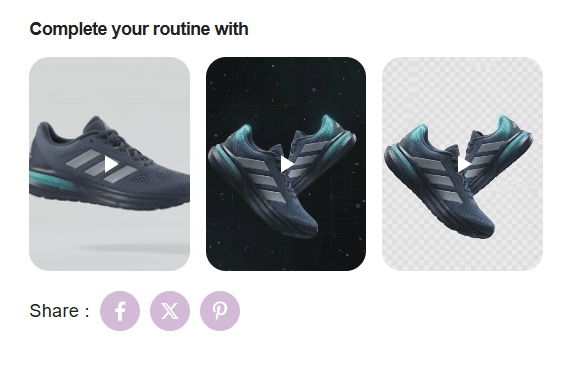
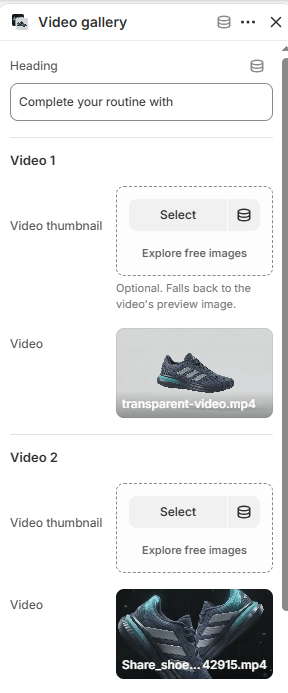
- Shoppable Video Gallery (
video_block): Embed up to 4 video clips (on-foot styling reels, wear-test reviews, or unboxings) with custom cover thumbnails right beneath your product details. - Complementary Products (
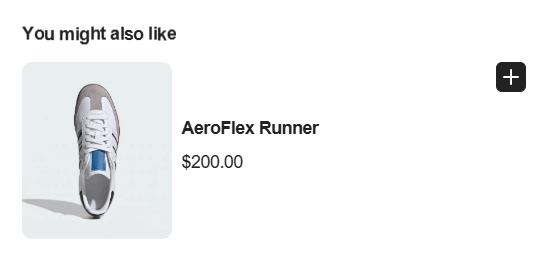
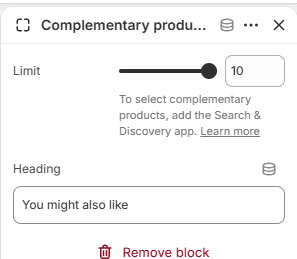
complementary): Uses Shopify Search & Discovery to suggest matching footwear accessories (extra laces, sneaker protector spray, athletic socks) directly below the checkout button.
Pro Tips for Sneax Footwear Stores #
- Always Connect the Size Chart Page: Sizing uncertainty is the #1 reason for footwear returns. Connect a comprehensive US/UK/EU conversion table to the Size chart block to eliminate buyer hesitation.
- Leverage Sticky Cart on Mobile: Keeping Enable sticky cart active ensures that after mobile shoppers scroll through your tall sneaker images, the “Select Size & Add to Cart” button is always 1 tap away.