Table of Contents
Sneax is engineered to support international sneaker drops and global footwear retail. Sneakerheads and shoe collectors frequently shop cross-border, making transparent, localized currency pricing essential for building customer trust and reducing cart abandonment.
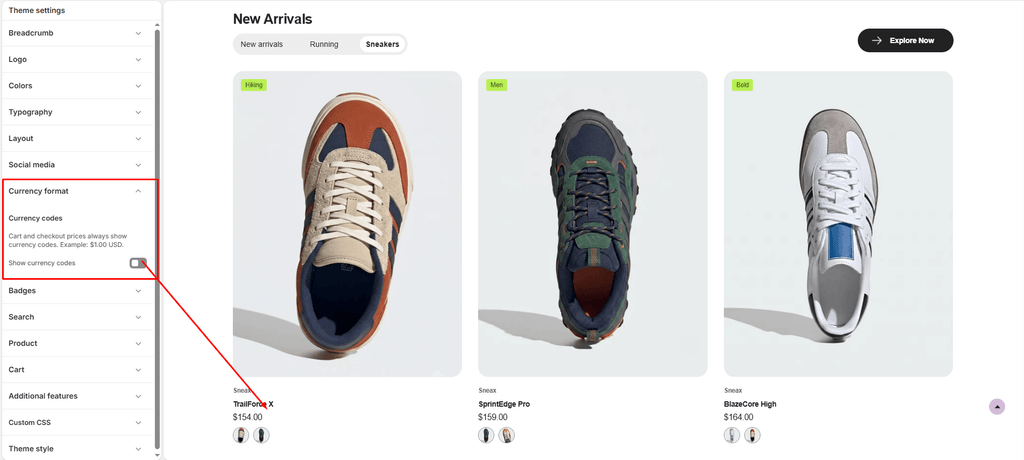
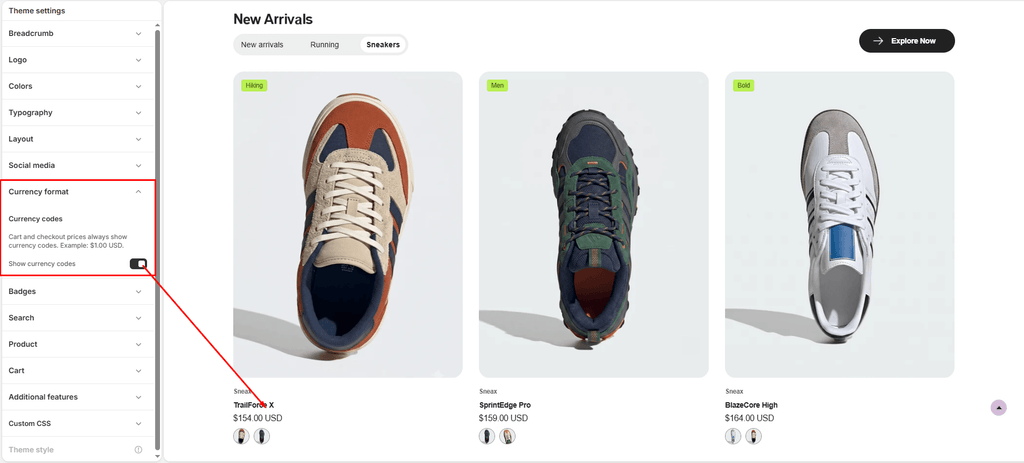
Through the Currency format settings, you can control whether three-letter ISO currency codes (such as USD, EUR, GBP, CAD, or AUD) display alongside product prices across your entire store.
How to Access Currency Format Settings #
- From your Shopify Admin, navigate to Online Store > Themes.
- Click Customize on the Sneax theme.
- Click the Theme settings (⚙️ gear icon) in the left sidebar.
- Select the Currency format tab.
- Check or uncheck Show currency codes.
- Click Save.
Available Settings & Configuration #
| Setting Name | Type | Options / State | Default | Description |
|---|---|---|---|---|
| Show currency codes | Checkbox | Enabled (Checked) / Disabled (Unchecked) | Enabled (true) | Displays the standard 3-letter ISO currency code (e.g., $180.00 USD) next to product and cart prices throughout the storefront. |
Detailed Setting Breakdown #
Show Currency Codes (currency_code_enabled) #
- When Enabled (
Checked):- Sneax applies Shopify’s
money_with_currencyformatting filter storewide. - Displayed on: Product cards, collection grid tiles, single product pages, quick-view popups, search suggestions, price ranges (
From $120.00 USD - $180.00 USD), and the slide-out cart drawer. - Eliminates ambiguity for international shoppers who use the same currency symbol (e.g., distinguishing between US Dollar
$, Canadian DollarCAD $, and Australian DollarAUD $).
- Sneax applies Shopify’s
- When Disabled (
Unchecked):- Sneax reverts to the standard
moneyfilter format (e.g.,$180.00). - Best suited for domestic stores selling exclusively within a single country or region.
- Sneax reverts to the standard
(Note: Cart totals and Shopify checkout pages always enforce currency codes by default to guarantee full legal compliance and pricing clarity).
Pro Tips for Sneax Footwear Stores #
- Crucial for Hype Releases & Global Drops: If you promote limited-edition sneaker raffles or international drops, always keep Show currency codes enabled. Foreign buyers will immediately know what currency they are being billed in before reaching checkout.
- Pair with Shopify Markets: Sneax pairs automatically with Shopify Markets and multi-currency geolocators, allowing international visitors to browse and pay in their local currency with accurate automated conversions.